


PaulKimDesign
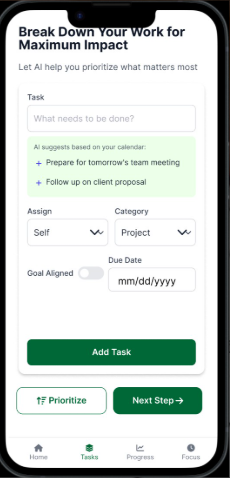
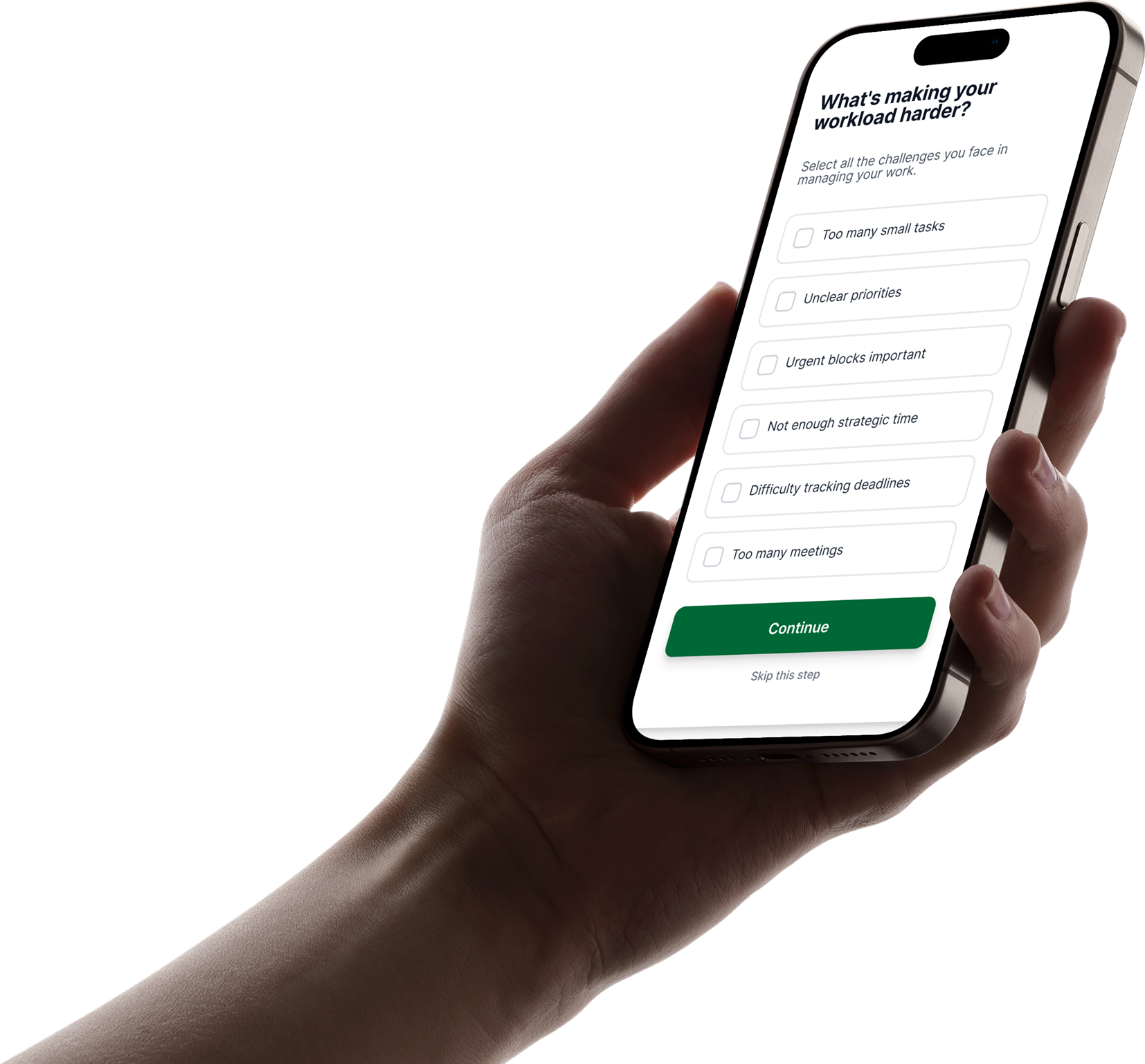
Timewise app mockup

Timewise

Less overwhelm. More momentum.

Timewise overview

Overwhelming Daily Planning

Many users struggle to manage daily responsibilities because their tasks are spread across school, work, personal goals, deadlines, and unexpected obligations. When everything feels important, users often do not know where to begin.

Timewise addresses this problem by reducing the number of decisions users need to make at the start of the day. Instead of forcing users to manually organize every task, the product helps them identify the most useful next step and move forward with less hesitation.

How Might We

How might we help busy users manage meetings, priorities, and daily tasks more smoothly, so they can stay focused without feeling stressed?

Define

I identified the main user pain point: people are not only busy, they are overwhelmed by deciding what to do first.

Research

I used interviews and observation to understand how users plan their day and where their planning process breaks down.

Solution

I designed a focused task-prioritization experience that turns large goals into smaller and clearer steps.

How I intend to solve this problem

1

Reduce decision fatigue by giving users a clear starting point instead of asking them to build a complete plan from scratch.

2

Break large goals into smaller, realistic tasks so users can begin with one manageable action instead of feeling stuck.

3

Help users maintain momentum by showing progress and keeping the interface simple, calm, and easy to understand.

Light bulb idea

Audience Interview

Audience interview participant Yuchan Lee

Yuchan Lee

Key Findings

Through interviews, I discovered that users often procrastinate when tasks feel vague, too large, or emotionally exhausting to begin. Many participants explained that existing productivity tools require too much manual organization before they can even start.

Users wanted a simpler experience that immediately reduces mental friction. The strongest insight was that people do not always need more features. They need clarity, prioritization, and one realistic action that helps them begin.

What my audience research reveals?

Users feel overwhelmed when they see too many responsibilities at once. A crowded task list can make planning feel like another task.

Users need guidance choosing the most important next step. They want the app to reduce uncertainty, not add more planning work.

Users lose motivation when progress feels invisible. Small wins and clear feedback help them continue after starting.

User Persona

Jordan Miller user persona portrait

JORDAN MILLER

Project Coordinator

“I need a simpler way to stay focused and manage my tasks without feeling overwhelmed.”
29 years old Male un married

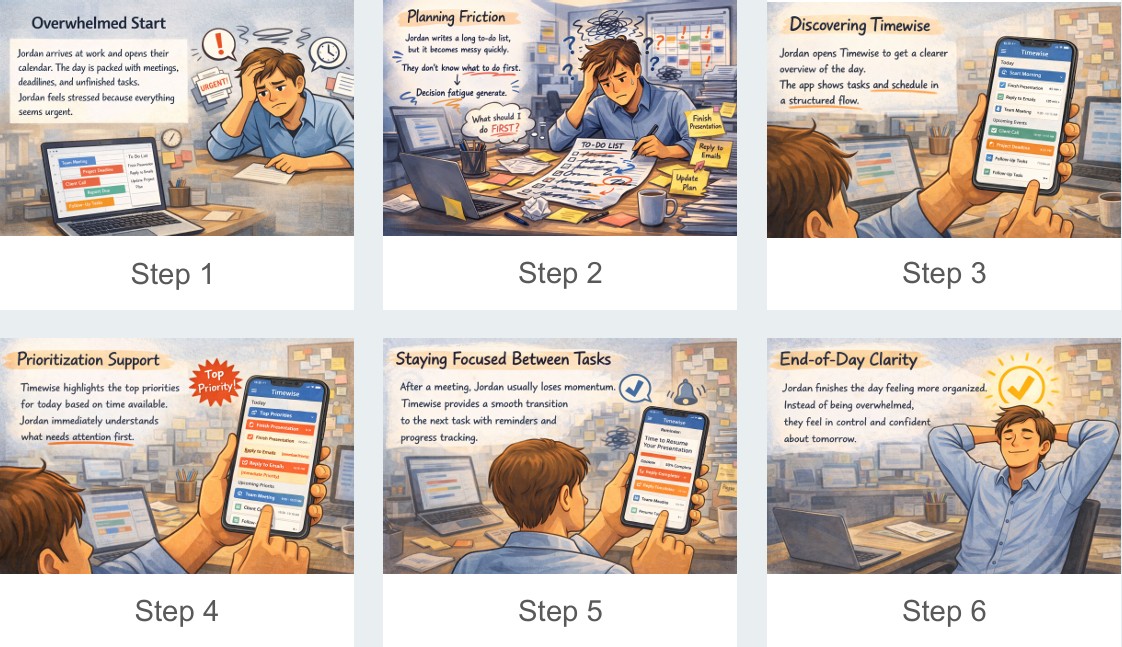
Jordan is a busy project coordinator who struggles to stay focused while managing meetings, emails, and multiple tasks. Although using calendars and to-do lists, Jordan often feels overwhelmed and wants a simpler way to prioritize daily work.

Goals and
Challenges

  • Quickly decide what task to start first when many things appear at once.
  • Build a smoother daily workflow instead of constantly reacting to tasks.
  • Meetings break the flow of work and make it difficult to continue tasks.
  • Switching between tasks causes mental fatigue.

Pain Points

  • Too Many Interruptions Jordan’s day is often broken by meetings, emails, and chat notifications. This makes it hard to stay focused on one task for a long time.
  • Overwhelming Task Lists Traditional to-do lists keep getting longer during the day. Jordan spends too much time organizing tasks instead of doing them.
  • Difficulty Regaining Focus After switching between tasks, Jordan often needs extra time to remember where they left off.
Moodboard & Sketch

Timewise moodboard and sketch

Task Flows

Smart Task Prioritization GIF

1. Smart Task Prioritization

Users begin by entering their main goals and responsibilities for the day. Timewise then organizes these items by urgency, energy level, and importance.

Procrastination Breaker GIF

2. Procrastination Breaker

When users feel stuck, the app suggests one small first step. This lowers the pressure of starting and helps users move into action.

Strategic Focus GIF

3. Strategic Focus

Users are guided toward the task with the highest impact. The flow emphasizes focus, clarity, and one meaningful task at a time.

Design Process

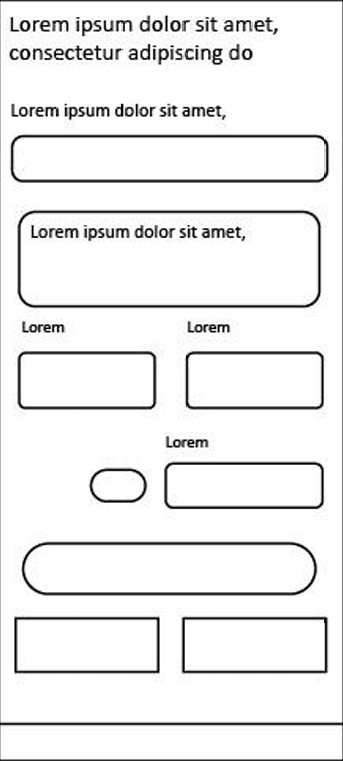
Low fidelity prototype

Phase 1 - low-fidelity

low-fidelity prototype

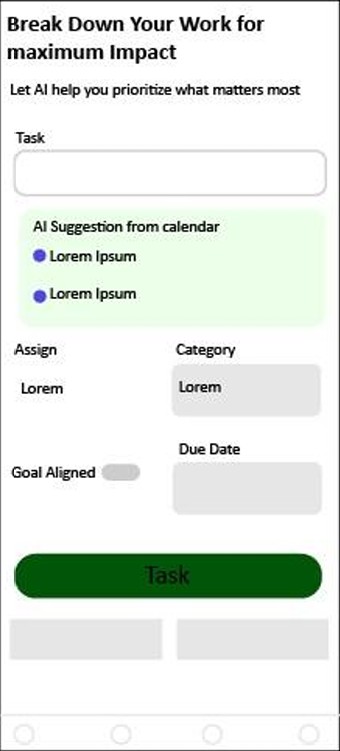
Medium fidelity prototype

Phase 2 - medium-fidelity

medium-fidelity prototype

High fidelity prototype

Phase 3 - high-fidelity

high-fidelity prototype

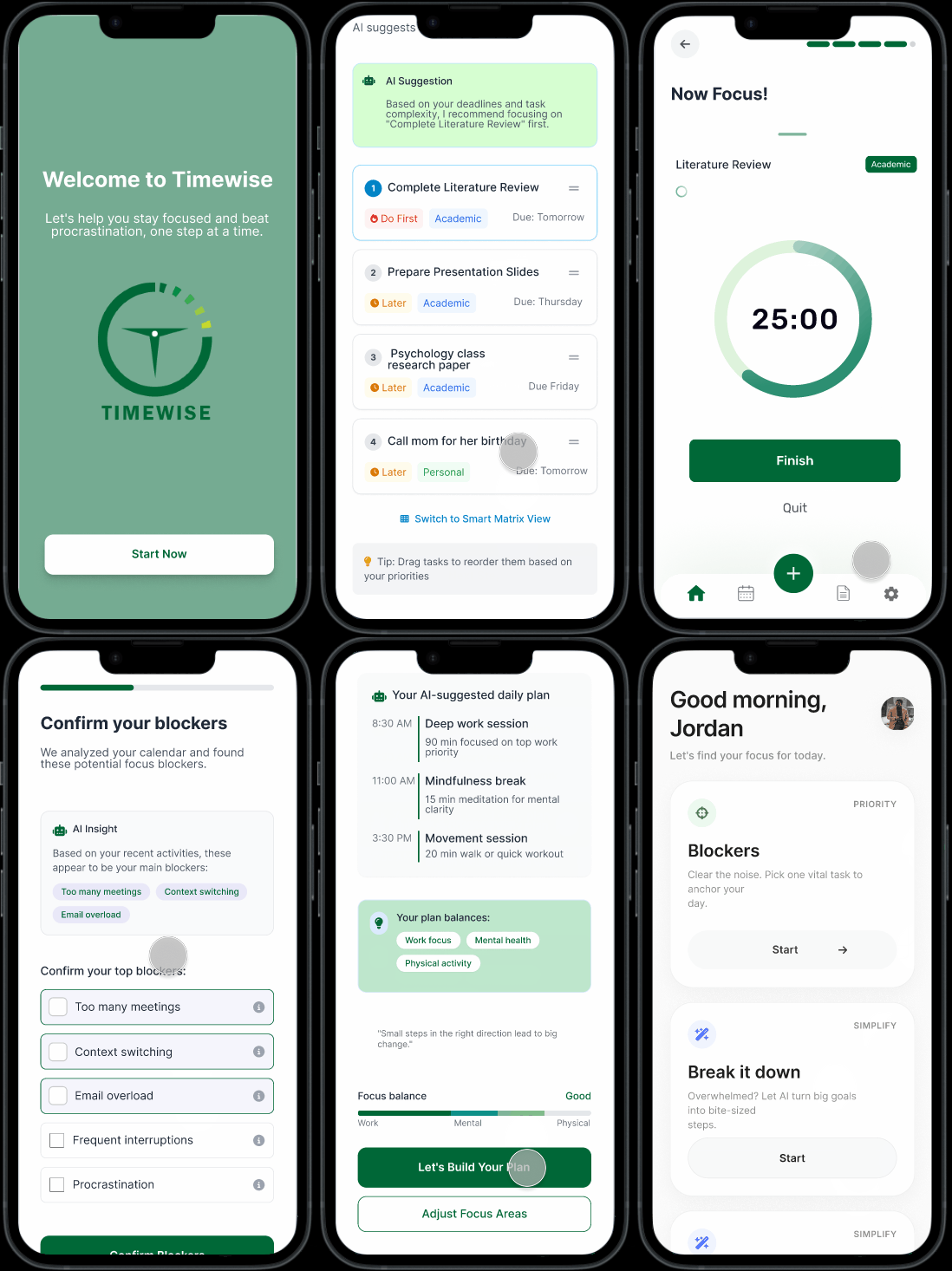
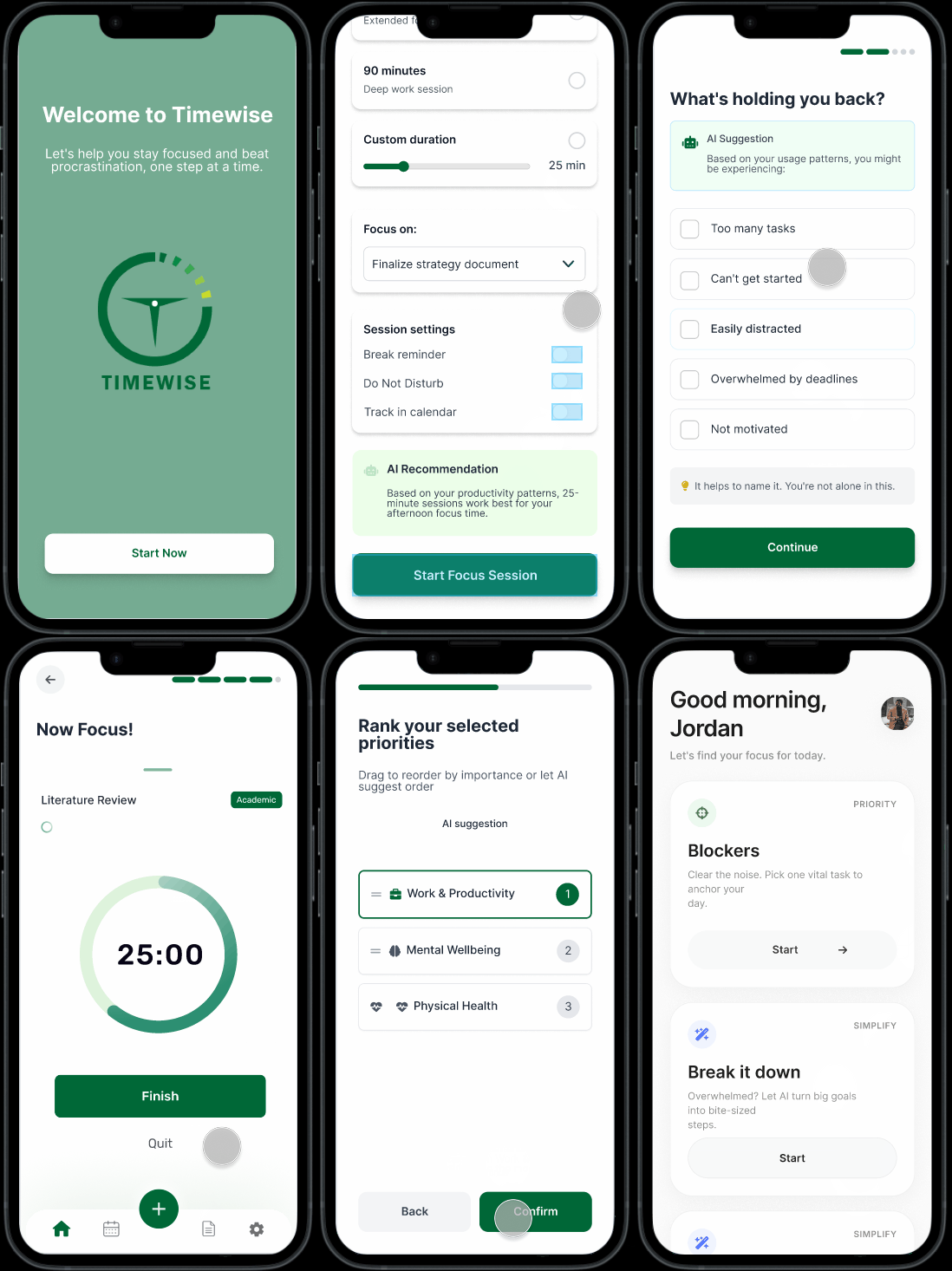
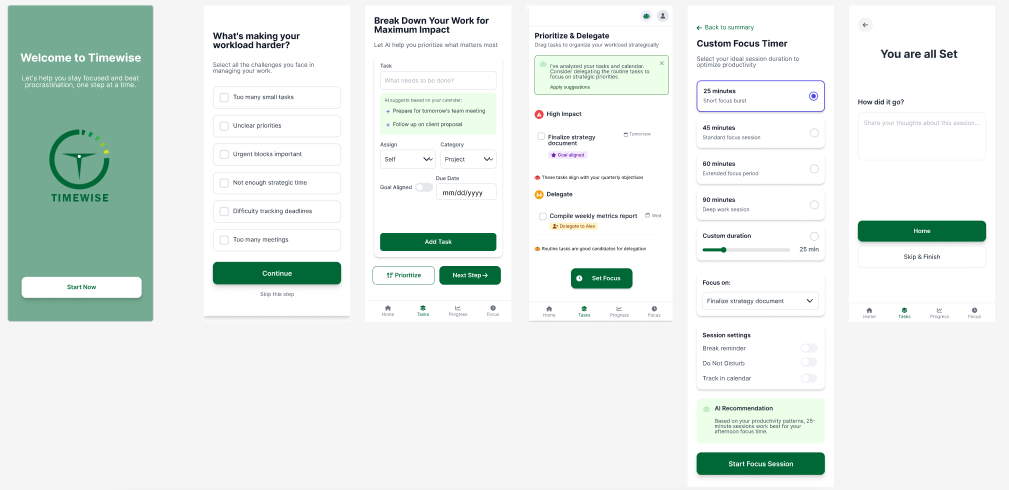
Timewise final prototype screens

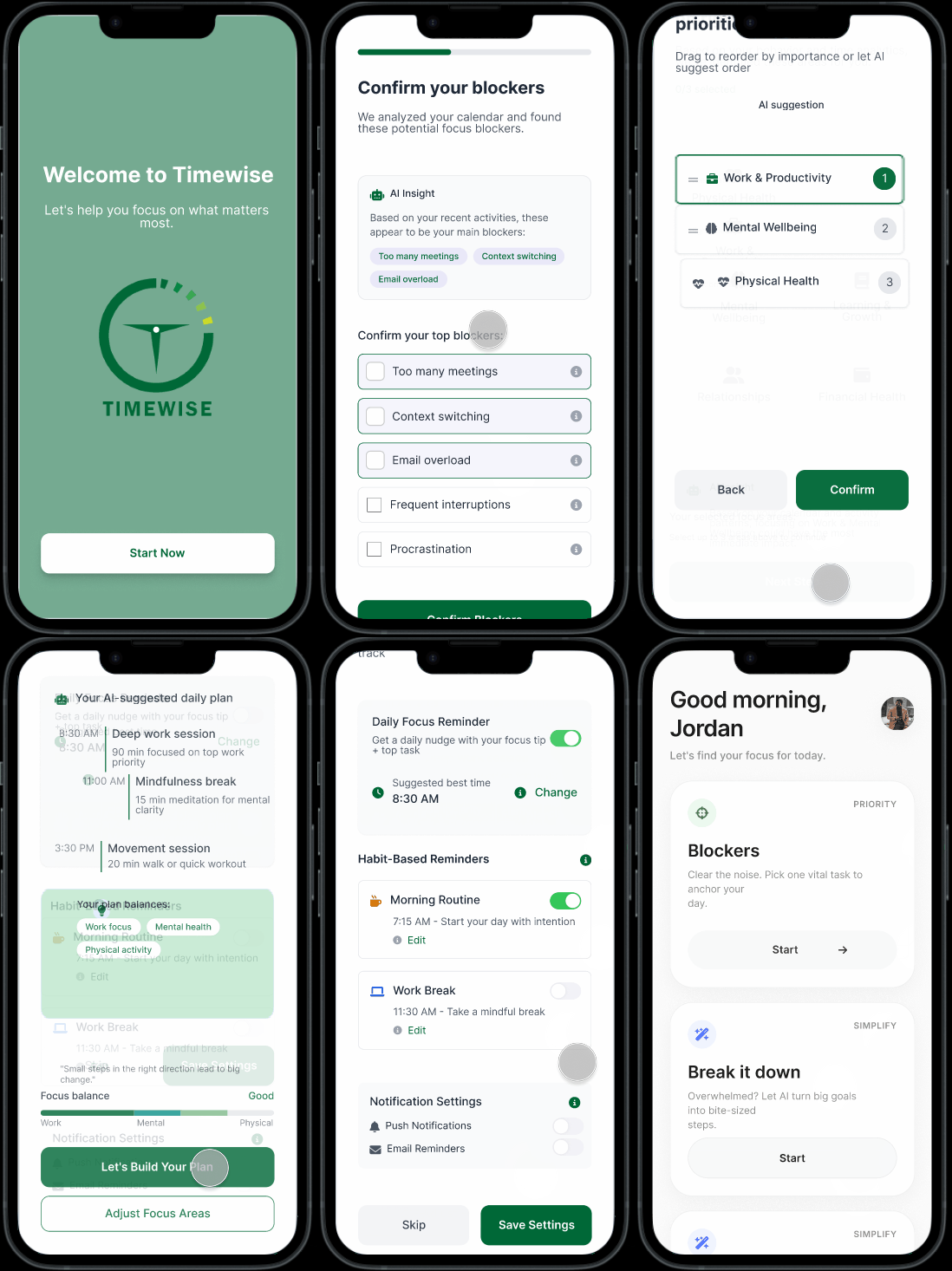
I solved the problem by designing a simple task overview and prioritization system. The final experience helps users quickly understand what matters most, start with less friction, and maintain momentum through clear next steps.

View Prototype Testing

What I learned

Through this case study, I learned that productivity design is not only about adding more features. The most important part is helping users reduce mental friction, understand priorities, and feel confident taking one clear next step.

Timewise helped me practice connecting research insights to user flows, visual hierarchy, and prototype decisions that support real user behavior.

What’s Next?

Next, I would continue improving the prototype through usability testing, refine the AI recommendation logic, and build stronger calendar integration so the experience feels more personalized and practical for daily use.

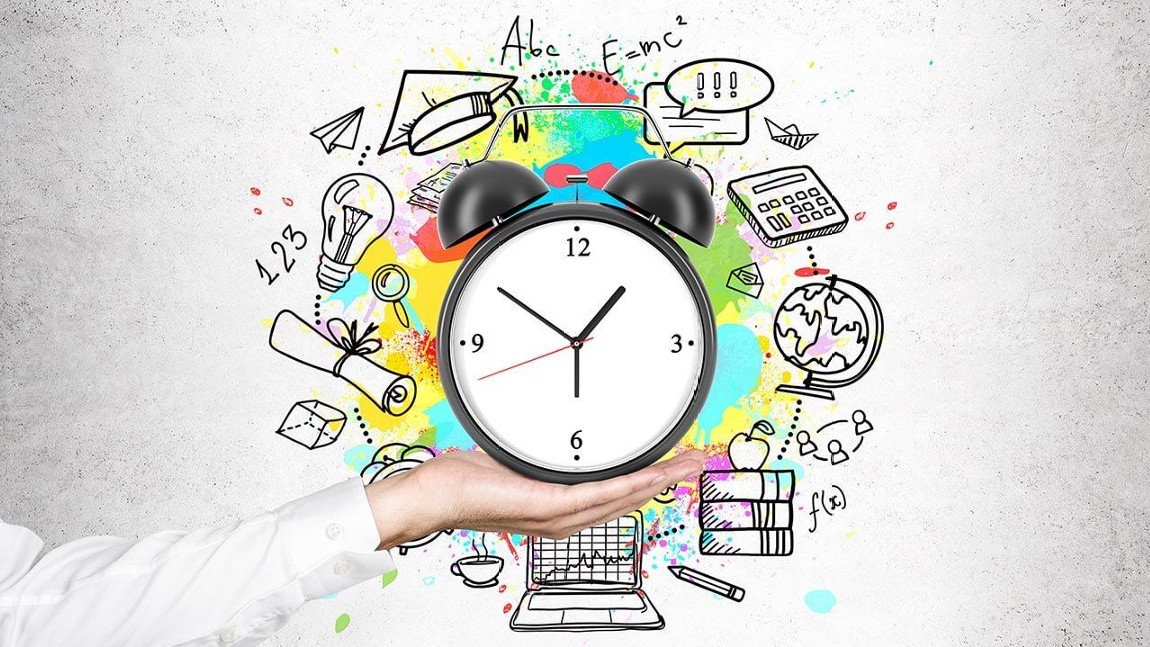
Timewise conclusion visual